

Best Free Apps for Filipino Students in 2026: Study Smarter, Not Harder
You know that feeling when you have 5 deadlines due the same week and no idea where to start? Your notes are scattered across three different notebooks, your group chat is blowing up, and your exam is in two days. There has to be a better way.
Good news: there is. And it is probably already sitting in your pocket.
Your smartphone is one of the most powerful study tools ever created, but only if you use it right. This guide covers the best free apps for Filipino students in 2026, organized by what you actually need them for.
Why Filipino Students Need the Right Apps in 2026
The way Filipino students learn has changed significantly. Blended learning is now part of everyday academic life in many Philippine universities and senior high schools, with a mix of face-to-face classes, online submissions, and digital resources becoming the new normal.
That shift means the students who know how to use digital tools well have a real advantage. The right app can help you take better notes, memorize faster, manage your time, and stay focused when everything around you is competing for your attention.
And when your academic performance is directly tied to your GWA, every small improvement in how you study adds up. The apps in this list are all free (or have strong free plans), they work on most devices, and they are genuinely useful for the realities of college life in the Philippines.
Best Apps for Studying and Note-Taking
Notion
Notion is one of the most popular productivity apps among Filipino college students right now, and for good reason. It is part note-taking app, part planner, part database, and part project manager, all in one place.
Students use it to organize lecture notes by subject, track deadlines, build study guides, and even create semester planners. One student from a Manila university shared that she moved her entire academic life into Notion and never went back to physical planners again.
The free plan gives you unlimited pages and blocks for personal use, which is more than enough for most students. It works on Android, iOS, and your laptop browser, so your notes are always with you.
Google Keep
If Notion feels like too much to set up, Google Keep is the opposite: fast, simple, and always ready. It is perfect for jotting down quick notes during class, saving important reminders, or creating checklists for assignments.
One of its best features for Filipino students is the ability to sync instantly across all your devices. You write something on your phone during your commute and it is already on your laptop when you get home. No cables, no copying, no hassle.
It is free and built into your Google account, so there is nothing to download or set up. Just open it and start writing.
Microsoft OneNote
Microsoft OneNote is the best option if you want a dedicated notebook-style app for organizing your lecture notes by subject and semester. You can create separate notebooks for each course, add tabs for each topic, insert images, draw diagrams, and even record audio.
The best part for Filipino students: if your school uses a Microsoft 365 Education account, you already have access to OneNote for free. Check with your school’s IT office or registrar to see if your institution is enrolled. Many Philippine universities are, and most students do not know about it.
Best Apps for Flashcards and Memorization
Anki
Anki is not the prettiest app, but it might be the most powerful memorization tool available. It uses a system called spaced repetition, which means it shows you flashcards at scientifically timed intervals to help you remember information long-term, not just for tomorrow’s exam.
It is especially popular among medical students, nursing students, law students, and engineering students in the Philippines because of how well it handles large volumes of material. If you have ever tried to memorize hundreds of terms for a board exam subject, Anki is built for exactly that situation.
The desktop version is completely free. The iOS app costs a one-time fee, but the Android version is free. Many students just use the desktop version or the browser-based AnkiWeb.
Quizlet
Quizlet is easier to get into than Anki and works great for group studying. You can create flashcard sets, take practice tests, play study games, and share sets with your classmates.
There is a huge library of existing flashcard sets covering subjects common in Philippine universities, so there is a good chance someone has already made a set for what you are studying. The free version covers most students’ needs. The premium plan adds features like offline access and advanced learning modes, but the free tier is already very suitable for everyday studying.
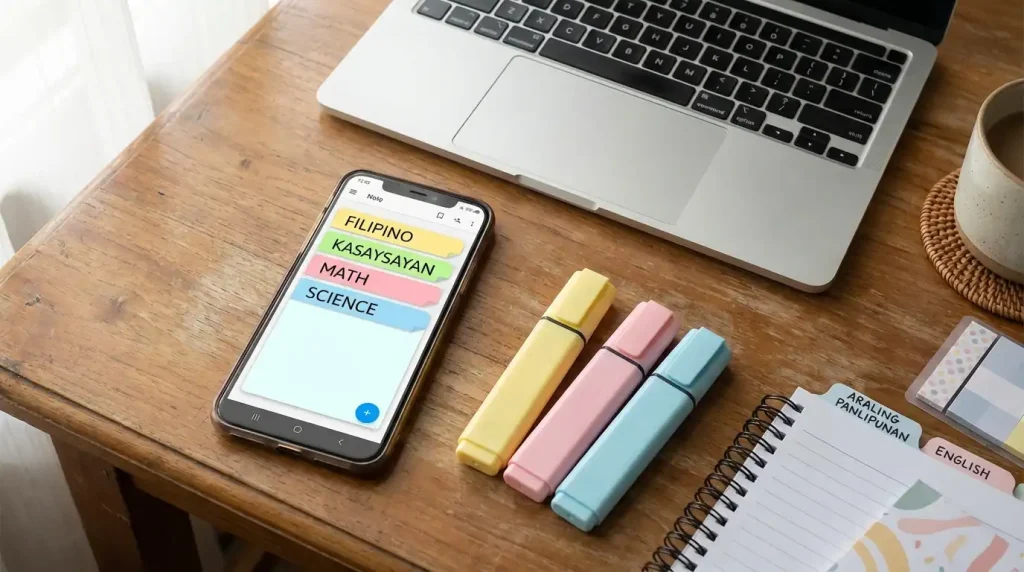
Best Apps for Focus and Time Management
Forest App
Forest turns staying off your phone into a game. When you start a study session, you plant a virtual tree. If you leave the app to check social media or scroll through your feed, the tree dies. If you stay focused, it grows.
It sounds simple, but it is surprisingly effective. The visual of a growing tree gives you something to protect, which creates just enough motivation to put the phone down and stay on task. The free version has enough features to work well, and the paid version lets you unlock more tree species and plant real trees through a partner program.

Google Calendar
Most Filipino students only use Google Calendar to check dates. But when you actually use it to schedule your study sessions, set exam reminders, and plan your week, it becomes one of the most powerful tools you have.
Set up recurring study blocks for each subject. Add your exam dates as soon as they are announced. Color-code by subject so you can see your whole week at a glance. If your school uses Google Workspace for Education, your calendar is already connected to your school email and can sync with class schedules automatically.
Todoist
Todoist is a clean, simple task manager that works well for students juggling multiple subjects and deadlines. You can create a project for each subject, add tasks with due dates, set priority levels, and check things off as you go.
The satisfaction of ticking off a completed task is small but real, and it keeps you moving forward. The free plan supports up to five active projects, which is enough for most students’ academic needs.
Best Apps for Research and Reading
Google Scholar
Google Scholar is one of the most underused tools among Filipino college students doing research. It is a free search engine specifically for academic papers, journal articles, theses, and books.
When you search a topic, it shows you credible academic sources instead of random blog posts and Wikipedia entries. Many results include links to free full-text versions. For those who do not, you can often find the same paper by adding the title to a regular Google search and looking for university or author websites that host it.
If you are writing a thesis or research paper, Google Scholar should be your first stop, not your last.
Zotero
Zotero is a free reference manager that every college student doing research needs to know about. It saves your sources automatically as you browse, organizes them into folders, and generates citations in APA, MLA, Chicago, or any other format your professor requires.
If you have ever spent an hour formatting a bibliography manually, Zotero will feel like magic. It has browser extensions for Chrome and Firefox, a desktop app, and it is completely free for up to 300MB of storage, which is more than enough for most undergraduate and graduate research projects.
Best Apps for Math and Science Students
Photomath
Photomath lets you point your phone camera at a math problem and it solves it step by step. It covers algebra, calculus, statistics, trigonometry, and more.
The key is not just to use it to get the answer. Use it to understand each step. Read through the solution, then try the next similar problem on your own. Used properly, Photomath is a genuinely effective learning tool for students who struggle with mathematics. The core features are free, and they cover most of what high school and college students need.
Wolfram Alpha
Wolfram Alpha is like a calculator that can answer almost any math or science question you throw at it. It handles complex equations, unit conversions, chemistry problems, physics formulas, statistics, and much more.
For engineering, science, and math-heavy courses in Philippine universities, this is one of the most useful free tools available. The free version has occasional limitations, but it handles the majority of student queries without requiring a paid plan.
Best Apps for Writing and Grammar
Grammarly
Grammarly checks your essays, reports, and written requirements for grammar, spelling, punctuation, and clarity errors. The free version catches the most common mistakes, and for most students, that is already enough to significantly improve the quality of written outputs.
It works as a browser extension, a desktop app, and a mobile keyboard. Once you install it, it quietly runs in the background and flags errors wherever you type: Google Docs, email, online submission portals, everywhere.
Hemingway Editor
Hemingway Editor focuses on something different from Grammarly: readability. It highlights sentences that are too long, words that are unnecessarily complex, and passages that are hard to follow.
It is particularly useful for thesis writing and formal reports, where Filipino students sometimes fall into the habit of writing in very long, complicated sentences that lose the reader. The web version is completely free at hemingwayapp.com. Paste your writing in, and it color-codes everything that needs simplifying. It is one of those tools that makes you a noticeably better writer just by using it regularly.
All Apps at a Glance
Here is a quick summary of everything covered above so you can find the right tool for your needs at a glance:
| App Name | Category | Platform | Free Plan |
|---|---|---|---|
| Notion | Note-taking & Organization | Android, iOS, Web | Yes |
| Google Keep | Quick Notes | Android, iOS, Web | Yes |
| Microsoft OneNote | Lecture Note Organization | Android, iOS, Desktop | With School Account |
| Anki | Flashcards & Memorization | Desktop, Android, iOS | Desktop & Android |
| Quizlet | Flashcards & Study Games | Android, iOS, Web | Yes |
| Forest | Focus & Distraction Blocking | Android, iOS | Yes |
| Google Calendar | Scheduling & Time Management | Android, iOS, Web | Yes |
| Todoist | Task Management | Android, iOS, Web | Yes |
| Google Scholar | Academic Research | Web | Yes |
| Zotero | Reference Management | Desktop, Web | Yes |
| Photomath | Math Problem Solving | Android, iOS | Yes |
| Wolfram Alpha | Advanced Math & Science | Android, iOS, Web | Yes |
| Grammarly | Grammar & Writing | Android, iOS, Web, Extension | Yes |
| Hemingway Editor | Writing Clarity & Readability | Web | Yes |
Bonus: Track Your GWA With This Free Tool
After all the studying, all the late nights, and all the hard work you put in this semester, you will want to know how your efforts are actually paying off. Use this free GWA calculator to instantly compute your General Weighted Average and track your academic progress every semester.
It is quick, accurate, and designed specifically for Filipino students. Whether you are on the 100-point scale or the 1.0 to 5.0 scale, it handles both. Bookmark it now so it is ready when your grades come in.
Tips for Using Study Apps Effectively
Having the right apps is only half the equation. How you use them determines whether they help or hurt your focus.
- Do not download everything at once. Pick one or two apps from this list that match your biggest current struggle. Master those before adding more.
- Set a purpose for each app. Notion for notes, Todoist for tasks, Forest for focus. When each app has a clear job, you are less likely to get distracted jumping between them.
- Remember that apps are tools, not shortcuts. Photomath does not replace understanding math. Grammarly does not replace learning to write well. Use them to learn, not to avoid learning.
- Use your phone’s built-in screen time or digital wellbeing settings to limit social media during study hours. The best study apps in the world cannot help you if Instagram is one swipe away.
FAQs
Conclusion
The right tools do not make studying easy. But they do make it smarter. And in a school system where your GWA determines your scholarships, your honors, and sometimes your opportunities after graduation, studying smarter is one of the most practical things you can do for yourself.
Pick one app from this list today. Just one. Set it up, learn how it works, and use it consistently for the rest of the semester. That single habit shift, repeated over time, is how the best students build the kind of academic performance that actually lasts.
Panalo ka niyan.